


AiMagic - Kids Storybook Maker
3.05.00 Reviews
App Specs
- Version
- 1.25.5
- Updated On
- License
- Free
- Downloads
- 10,000+
- Developer
- Starkid
- Categories
- Art & Design
- Platform
- Android
Screenshots
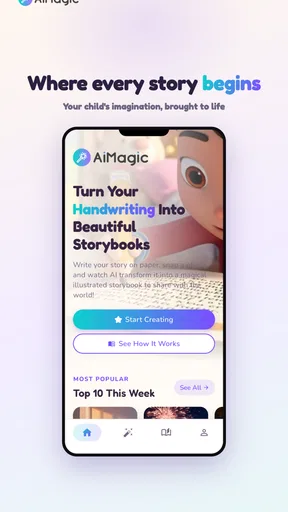
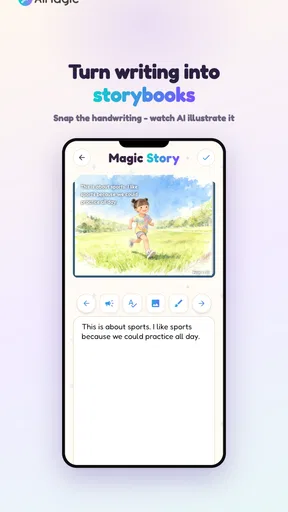
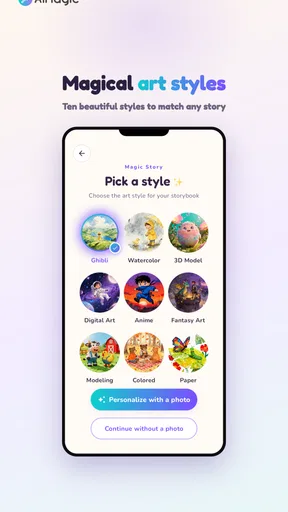
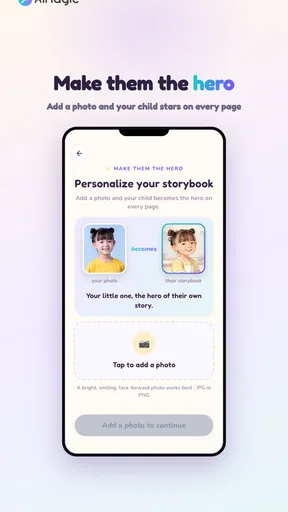
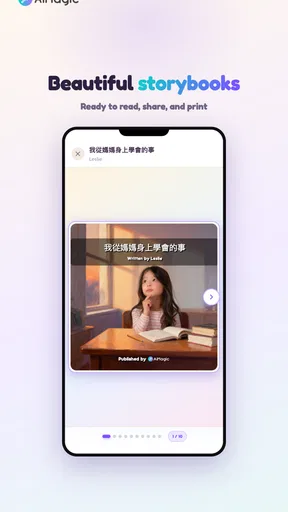
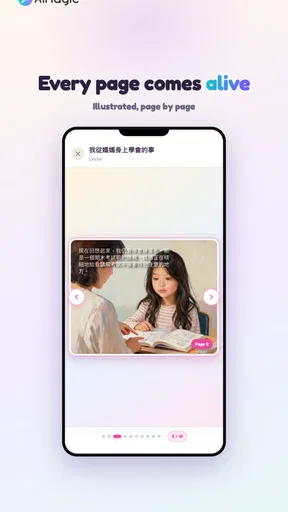
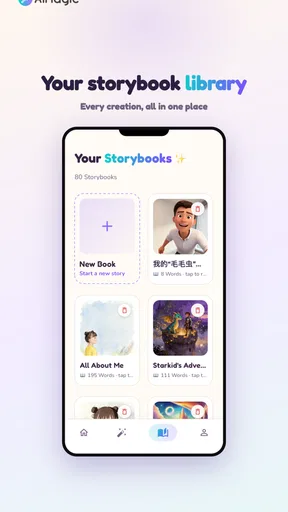
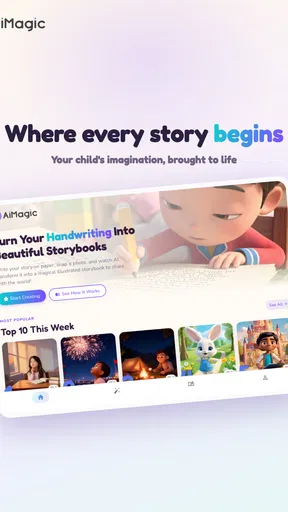
 Analysis by AppCompare
I found AiMagic - Kids Storybook Maker appealing for a very specific reason: it turns a child’s handwriting into the starting point for an illustrated storybook. That idea feels more personal than opening a standard drawing app, and it gives a child’s practice writing a visible purpose. Instead of treating handwriting as a worksheet that disappears into a folder, the app presents it as material that can become part of a creative project.
My first impression is that this is best understood as a family creativity app in the Art & Design category, not as a full replacement for a drawing studio, writing tutor, or traditional book-making tool. Its focus is narrow, but that focus is also what makes it memorable. The question is not whether the novelty works during the first afternoon. It does. The more useful question is whether families will still open it after the first few storybooks have been made.
What the first week feels like
During the first week, the strongest appeal is the connection between something a child physically writes and something that looks finished. A child can see familiar handwriting treated as part of a larger visual result, which may feel encouraging even when the writing itself is uneven. For younger users, that transformation can make a simple sentence or short idea feel important.
I would introduce it as a shared activity rather than hand over a device and expect a child to understand everything alone. The most rewarding part is usually the conversation around the story: deciding what the characters are doing, choosing which words matter, and looking at the result together. The app’s AI-illustrated approach supplies the visual lift, while the child’s handwriting supplies the personal element.
That distinction matters. If you are looking for a blank canvas with brushes, layers, detailed color controls, and a large collection of manual tools, this is not the same kind of experience. It is closer to a guided bridge between writing and visual storytelling. I found that more approachable for a child who might be intimidated by a conventional art app, but less satisfying for an older child who wants precise control over every part of an illustration.
The app is free to install, and its age classification is Everyone, which makes it easy to consider for a family device. At the same time, free installation should not be confused with unlimited use at no cost: optional in-app purchases range from $0.99 to $74.99 per item. I would make that purchasing setup clear before a child begins experimenting, especially if the device is shared.
A practical first project
A good first session is short and concrete. I would ask a child to write a tiny beginning, middle, and ending rather than attempt a long story. For example, the child might write about finding a lost toy, meeting an unusual animal, and bringing it home safely. The point is not literary quality. The point is to create enough material for the app’s central idea to feel meaningful.
Worth Reading Before You Choose

EA SPORTS FC Mobile 26 Is a Bigger Football Game, but It Takes Time

Flipboard Shows What News Apps Must Do Beyond the Feed

Switching to Android Auto Means Rethinking Your Driving Routine

Google Calendar Makes a Crowded Week Easier to Manage

Ludo King Makes the Most of the Minutes Between Plans

Baby Panda World Brings Quick Play to Modern Phones, but Its Game Library Feels Busy
One useful habit is to photograph or preserve the original handwriting before making changes. Children often want to compare the first attempt with a later version, and that comparison can turn the app into a gentle record of progress. It also prevents the digital result from becoming the only thing that matters. The handwriting is the source of the project, not merely an input that should be hidden.
I would also encourage children to read the finished story aloud. That reveals whether the sequence makes sense and gives the activity a second layer beyond watching an illustration appear. In a family setting, the app works best when it supports writing, speaking, and imagination together rather than acting as a button that produces a result without discussion.
Where the first-week magic is strongest
The app has a clear advantage over a blank drawing application when the child needs a prompt. A blank page can be liberating for an experienced artist, but it can also produce hesitation. Here, the idea of making a storybook gives the session a destination. The child is not simply drawing a picture; there is a reason to write something and see how it becomes part of a scene.
It also differs from a standard handwriting practice app. Those tools usually emphasize repetition, letter formation, or accuracy. AiMagic - Kids Storybook Maker gives handwriting a creative context instead. That may not replace structured practice, but it can make writing feel less like an isolated school task.
My caution during the first week is to keep expectations realistic. AI-generated illustration is attractive because it creates surprise, but surprise is not the same as control. A child may imagine a very specific character or setting and receive something that only partly matches the idea. That gap can be funny once, frustrating the next time, and tiring if the child expects exact visual obedience.
What remains useful after the novelty fades
The lasting value depends on whether the family treats the app as a recurring storytelling ritual or as a one-time demonstration. After the first few projects, the automatic transformation becomes less surprising. What can remain valuable is the collection of child-created stories, the chance to revisit earlier writing, and the routine of turning a small idea into something shareable.
I can imagine using it once a week after school, particularly when a child wants a creative activity but does not know where to begin. A parent could choose a simple theme such as a journey, a problem to solve, or an object with a secret life. The child writes a few lines, the family discusses the sequence, and the finished story becomes something to read at bedtime. That routine gives the app recurring value without requiring daily use.
It may also work well for siblings or a parent and child working together. One person can contribute the words while another helps shape the story idea. The resulting book then reflects collaboration rather than only the child’s independent work. This is a subtle strength: the app can create a reason for adults to ask questions about a child’s imagination instead of merely checking whether the final picture looks attractive.
For teachers or caregivers, I would be more cautious. The concept could support a creative writing activity, but the practical suitability depends on how many devices are available, how much adult guidance is possible, and how the app handles a group workflow. I would not assume that a personal family tool automatically becomes an efficient classroom platform. Its clearest home is a small, supervised setting.
Three ways to keep the projects from becoming repetitive
First, change the role of the handwriting. One project can use a short narrative, another can use a character description, and another can use dialogue. This keeps the activity from becoming the same “write a sentence and generate a picture” loop every time.
Second, revisit an old story instead of always starting from nothing. A child can rewrite the ending, add a new character, or create a sequel. This is more valuable than producing a large pile of unrelated images because it encourages editing and continuity. It also gives the child a reason to notice how their writing changes over time.
Third, separate creation from review. Make the story during one session, then read it together later and ask what the child would change. That pause helps the app serve as a writing tool rather than a quick novelty machine. It also makes imperfections useful: an unclear sentence or unexpected illustration can become a prompt for revision.
These workflows are important because the app’s central trick is easy to understand quickly. Once the trick is familiar, the family has to supply the variety. I see the product as a creative framework, not a complete curriculum that will automatically provide endless new reasons to return.
Who is likely to keep using it?
I think it has the best chance of earning a regular place on the device for families with children who enjoy stories, drawing, or showing adults what they have made. It may also suit a child who is reluctant to write but becomes more interested when writing leads to a visual result. The finished story gives effort a clear audience, even if that audience is only the family.
Older children who already use advanced illustration software may find the experience too guided. Likewise, families wanting rigorous handwriting instruction should look at a dedicated educational tool first. The app can make writing feel meaningful, but that is different from teaching letter formation, spelling, grammar, or composition in a systematic way.
I would also skip it if your main goal is unrestricted digital art. A conventional drawing app will usually be the better fit for someone who wants to control line work, composition, color, and revisions manually. AiMagic is more interesting when the child’s words and handwriting are central to the activity.
The maintenance burden and everyday friction
The maintenance burden is not just about storage or opening the app. It is also about managing expectations, supervising purchases, organizing the stories, and keeping the activity fresh. Because the app is designed around child-created material, adults may end up doing more of the practical work than the cheerful first session suggests.
Before regular use, I would decide how the family will keep finished projects. If every experiment is treated as equally important, the collection can become difficult to browse. A simple naming habit helps: use the child’s title and a short description of the story’s theme. This makes older projects easier to find and turns the app into a small archive rather than a stream of disposable results.
It is also worth setting a clear boundary around purchases. The app has a free entry point, but the presence of per-item purchases means I would not leave that decision to a child tapping through a creative session. An adult should know what is available, decide what is appropriate, and explain whether the family will use only the free experience or occasionally pay for extras.
The current version is 1.25.5, and the app supports devices running Android 5.1 or later. That broad compatibility is useful for families using an older Android phone or tablet, although creative applications can still feel different depending on the screen size and device performance. A larger tablet is likely to be more comfortable for writing and viewing a story than a small phone, particularly when a child is working with an adult nearby.
Because the developer is Starkid and the app has reached over 10K installs, it is not an entirely unknown experiment. Still, its average rating is 3.0 from around 83 ratings, with about five written reviews. I read that as a reason to approach it with measured expectations rather than as proof that the concept fails. The rating suggests that the idea will not feel equally smooth or satisfying for everyone, while the relatively modest amount of public feedback means personal testing matters more than relying on popularity alone.
Where parents may need to step in
The first area is interpretation. If the illustration does not match the child’s mental picture, an adult can help frame it as one possible version rather than the definitive meaning of the story. That small explanation protects the child’s ownership of the idea and reduces the temptation to judge the app only by visual accuracy.
The second is editing. Children may assume that the first output is the final book, but a parent can ask whether the words are in the order the child intended or whether a scene needs more detail. This turns the app into a reason to revise, which is one of the more durable educational benefits available here even though the product itself is not a formal writing course.
The third is device etiquette. A shared family device can make the app accessible, but it can also interrupt a project if photos, messages, or other apps compete for attention. A short, planned session is more likely to end positively than an open-ended arrangement where the child is expected to keep inventing indefinitely.
Why fatigue can arrive sooner than expected
The main source of fatigue is repetition. If every session follows the same path and the child is mainly waiting to see the generated illustration, the creative work can become secondary. The first result feels special because it is new. Later results need stronger ideas, better prompts, or a family ritual around them to feel equally worthwhile.
Another source is the gap between imagination and output. Children often think in precise visual details, while an AI-assisted result may interpret those details differently. One unexpected result can encourage experimentation, but repeated mismatches may make the child feel that the app is not listening. I would avoid presenting the illustration as a guaranteed translation of the child’s exact vision.
There is also a risk that the visual result overshadows the handwriting. A polished-looking storybook can make the original writing seem like a disposable step. I would counter that by letting the child keep the handwritten source visible or by reading the words before focusing on the artwork. The app is most meaningful when the child recognizes their own contribution in the finished piece.
Families should consider the purchase model as another possible fatigue point. If useful creative options are connected to repeated payments, enthusiasm can turn into negotiation. Since individual purchases can reach $74.99, I would establish a budget before regular use and avoid making a child feel that a better story depends on spending more.
Compared with ordinary drawing apps, this product reduces the burden of manual illustration but gives up some control. Compared with story-writing apps, it adds a visual payoff but may provide less structured help with plot, vocabulary, or revision. Compared with handwriting practice apps, it offers more imagination but less direct instruction. Those trade-offs define the experience more clearly than the store’s short “AiMagic” label does.
When another option is the better choice
If the child wants to draw independently for long periods, choose a proper art application with manual tools. If the family wants measurable handwriting improvement, use a dedicated practice app or paper exercises. If the goal is to build a polished digital book with careful page layout, a general publishing or presentation tool may offer more control, though it will probably require more adult involvement.
AiMagic makes the most sense when the desired outcome is modest but personal: a child writes something, sees it become an illustrated story, and shares that result with someone they trust. It is not the strongest choice when precision, instruction, or professional-looking editing is the priority.
My long-term verdict
After the first-week excitement, I would not expect AiMagic - Kids Storybook Maker to become a daily app for most families. Its lasting place is more likely to be occasional and intentional: a weekly story session, a rainy-day activity, a bedtime project, or a way to preserve a child’s changing handwriting and imagination.
That is not a weakness by itself. Some creative tools are better when they remain special rather than becoming background entertainment. The app earns repeat use when adults help vary the prompts, revisit older stories, and keep the child’s writing at the center. Without that involvement, the novelty may fade once the family has seen the basic transformation several times.
I would recommend it to parents who want a gentle connection between children’s handwriting and illustrated storytelling, especially if they enjoy making projects together. I would be more reserved for anyone expecting a complete educational system, a professional art studio, or unlimited creative depth without supervision and planning.
My final view is that the app has a genuinely appealing core idea, but its long-term value comes from the habits built around it rather than from automatic novelty. Keep sessions short, save meaningful projects, encourage revisions, and set purchase boundaries. Used that way, AiMagic - Kids Storybook Maker can remain a charming family creativity tool instead of becoming another app that impresses everyone once and then disappears from the home screen.
Pros
- Creates personalized stories from a child’s name
- interests
- and ideas.
- Colorful illustrations make reading sessions more engaging for young children.
- Simple controls are easy for kids and parents to understand.
- Encourages imagination and can inspire children to create their own stories.
- Useful for bedtime reading
- quiet time
- or short educational activities.
Cons
- Story quality can vary depending on the prompts or details provided.
- Some children may lose interest after seeing similar story patterns repeatedly.
- AI-generated content may need parental review for age-appropriate themes.
- Illustration styles and character details may not always remain consistent.
- Frequent story creation may require an internet connection or paid features.
FAQs for AiMagic - Kids Storybook Maker
What is AiMagic - Kids Storybook Maker?
AiMagic - Kids Storybook Maker is a creative storytelling app designed to help families create personalized children’s books with the assistance of artificial intelligence. You can usually enter a story idea, choose characters or themes, and generate illustrated pages that are easier for young children to follow. It is aimed at bedtime reading, imaginative play, and making unique stories for individual interests.
Is AiMagic - Kids Storybook Maker suitable for young children to use independently?
Although the app is made for children’s storytelling, younger users may need help from a parent or another adult. Creating a book can involve entering prompts, selecting options, reviewing generated text, and navigating menus that may not be intuitive for early readers. Adult supervision is also useful for checking that the story, images, language, and themes are appropriate before sharing the finished book.
Can parents create personalized stories with their child’s name and favorite characters?
Personalization is one of the main reasons to use a storybook maker such as AiMagic. Depending on the available tools and current version, parents may be able to add a child’s name, select story themes, describe characters, and guide the plot with prompts. Results can vary, so reviewing and editing the generated story is recommended to ensure the details are accurate, positive, and age-appropriate.
Does AiMagic - Kids Storybook Maker require an internet connection or include in-app purchases?
AI story generation commonly depends on an internet connection because prompts and content may be processed online. Some basic features might work without a connection, but creating new stories or illustrations may not. Before downloading, check the app-store listing for subscription details, credit limits, advertisements, export restrictions, and in-app purchases, since pricing and included features can change between versions or platforms.
Are the stories and illustrations created by AiMagic safe and suitable for children?
The app is intended for children’s content, but AI-generated stories and images should still be reviewed by an adult. Automated results can occasionally include unsuitable wording, confusing plot points, stereotypes, or visual details that do not match the requested idea. Parents should read each book before presenting it to a child and avoid entering sensitive personal information when creating customized stories.


